
Q3 2026: Smarter Kedy AI, Performance Improvements and More Real-Time Workspace
1) Kedy AI – Faster and More Detailed
We’ve upgraded, changed, and reorchestrated a combination of the underlying LLM models powering Kedy AI, resulting in massively faster and more detailed answers and actions.
2) Kedy AI for Template Authoring
We have expanded the capabilities of our in-house AI Assistant, Kedy AI, beyond AI conversion from Word documents to Legito Templates. Kedy AI can now work directly with your Template content. Simply describe the change you want to make in plain language, and Kedy AI will identify the relevant Clauses and Elements in the Template and update them for you.
With each request, Kedy AI saves a new version of your Template with a note that it was created using AI.
Kedy AI can do the following actions so far:
Updating Properties. Kedy AI can update any property of the Clauses or Elements it finds. For example:
- Find all Text Elements containing the word “apple” and set their beginning and end spacing to “no space”.
- Set all Clauses with the Title style to begin on a new page.
- Change the style of all Articles using “Paragraph1” to “Superstyle”.
- Set the minimum and maximum selections for the “xyz” button to 1 and 3.
Managing Tags. Kedy AI can add and remove existing Tags from Clauses or Elements, and can identify where a particular Tag is already used within a Template. For example: “find the Element with the System Name xyz and apply the first_party_name” tag.
Updating Text. Kedy AI can edit and format text and text within a Template. For example, you can ask it to “find all text in quotation marks and make it bold”, or add Help text to a specific Clause.
Working with Images. Kedy AI can position and format Images already included in a Template. For example, “place the image X in the middle of the page behind the specified text”. You can also insert new images directly into the chat and ask Kedy AI to insert them into the header, footer, or the body of a section with your preferred alignment. For example, “insert abc.png into the header and align it to the right corner”.
Formatting and Styles. Kedy AI can reset the formatting or Style of Clauses and Elements in them. This restores the Style and formatting to their default values. This is equivalent to manually selecting the crossed-out “T” icon in the Template Editor.
3) Kedy AI – Bulk Actions
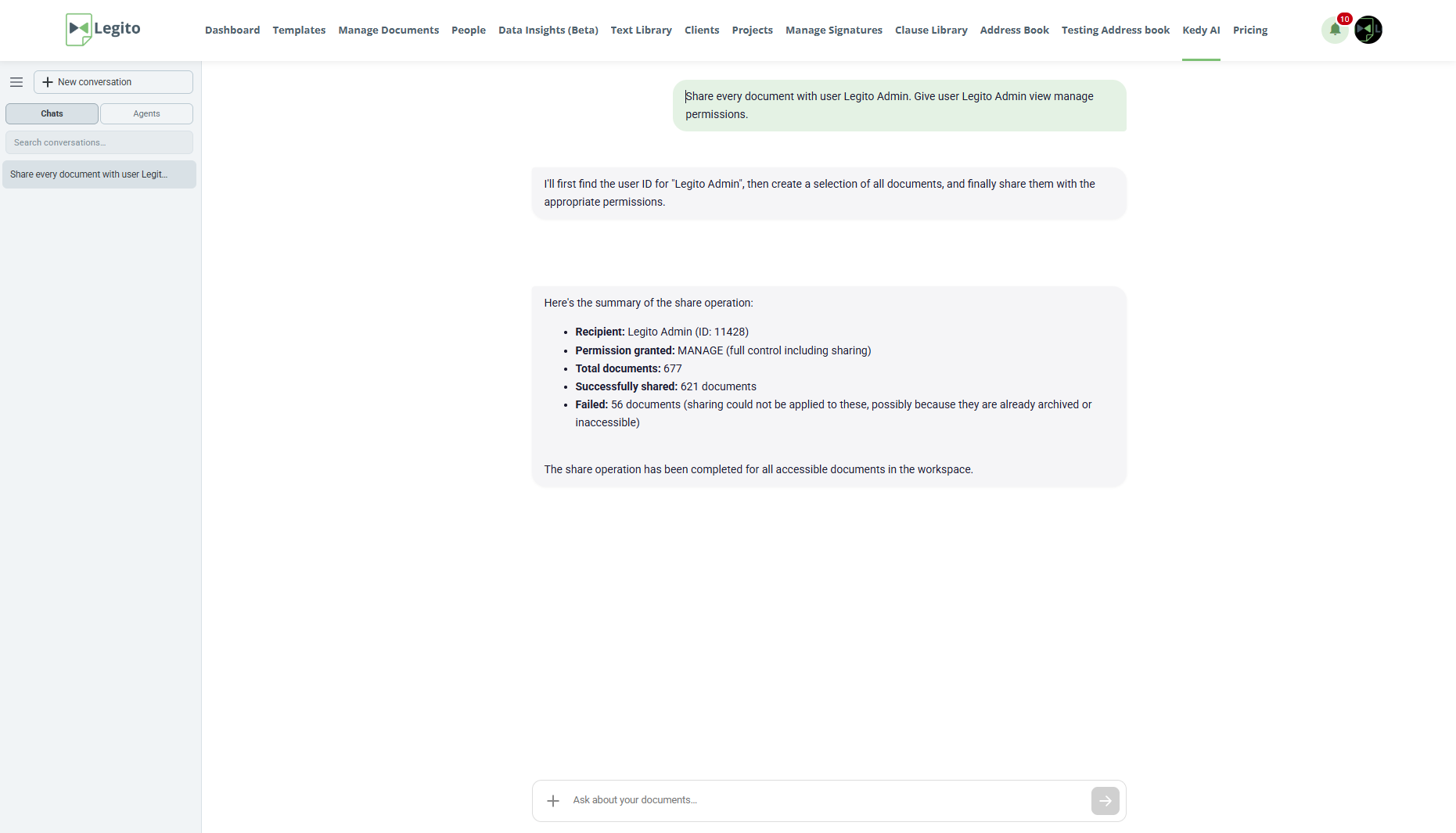
We’ve introduced AI bulk actions that allow using Kedy AI, including Agents, to complete tasks involving actions in a very large number of Document Records and Object Records in a short time.
AI bulk actions are available for changes of Owner and Workflow Stage, Archivation, Deletion, and Sharing.
4) Significantly Faster PDF Export
Legito Document export to PDF is approximately 10x faster than before, while still maintaining 100% precision of the output.
We are releasing this new PDF Export version sequentially to all Workspaces. If you do not have it already, please let us know, and we can fast-track it for you.
5) Faster Loading and Saving of Legito Documents
Legito Documents now load and save faster in the Document Editor. The most noticeable improvement is seen in longer, more complex Documents.
Response times have also been improved for REST API requests involving Legito Documents.
6) Improved Search in the Template Editor
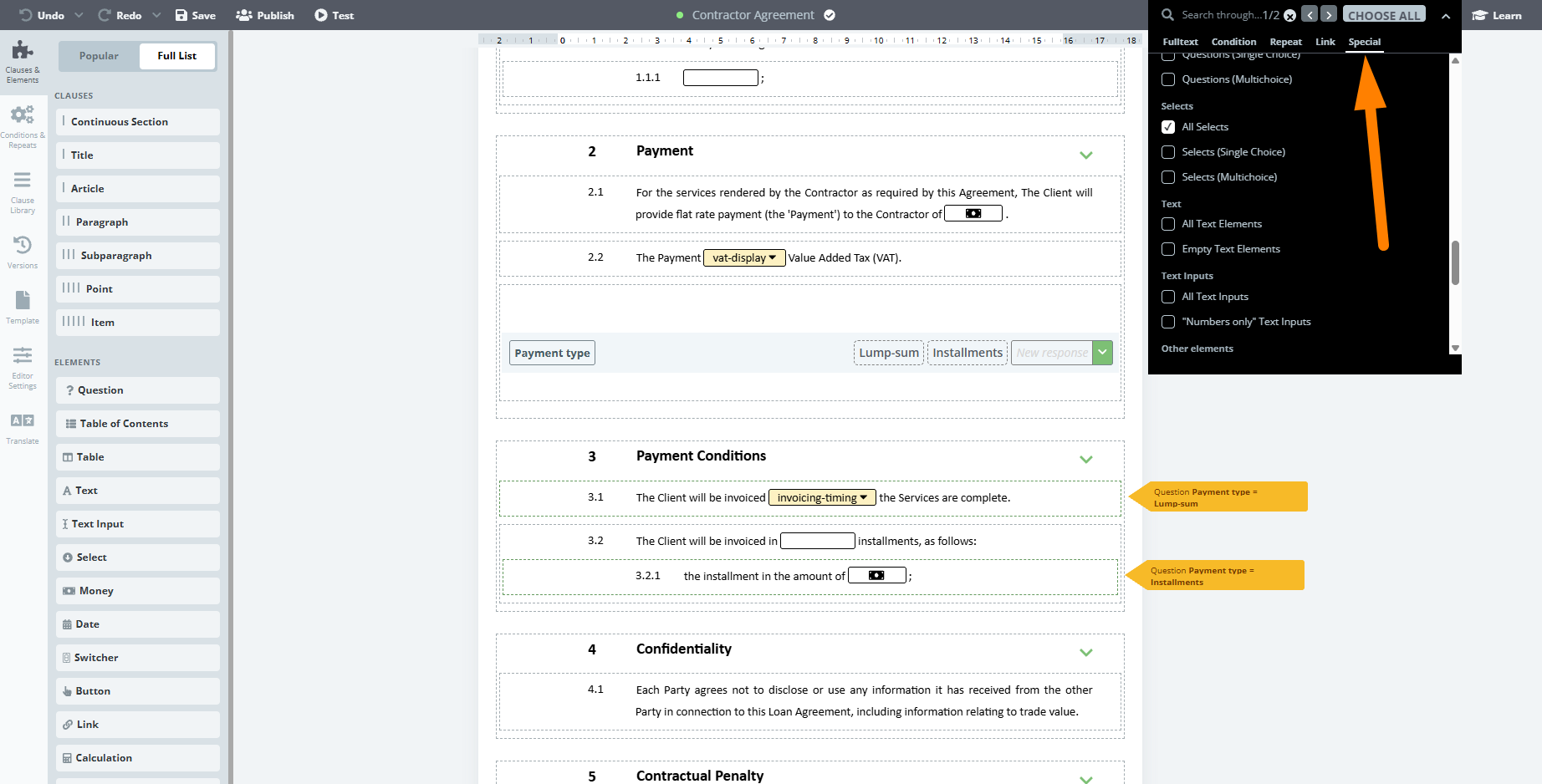
The Template Editor’s Search feature contains new popular search patterns associated with follow-up bulk actions.
New search patterns are available in the Special tab of the Search dropdown.
The features enable filtering by multiple types of Clauses and Elements, and Clause Library Clauses and their parts.
You can select multiple options at once, and the search will return anything that matches at least one of the selected options.
7) Real-Time Display of Changes
Changes in Document Records and Object Records made by one user are now instantly displayed to everyone else across all areas of the Legito Workspace without requiring a page refresh.
The instant display of changes includes the following use-cases:
Document and Object Records Content: Changes to the Owner, Workflow Stage, Properties, and other record details are reflected immediately across all three Manage Documents views, all three Dashboard views, and the individual Document Record page. It doesn’t matter whether the change is made manually, through an automated Workflow action, or via the API — the updated information is instantly visible to everyone.
The same applies to all other Document Record details, which are now kept synchronized in real time.
Added and Removed Records: When a Document Record or Object Record is archived or recovered, its row disappears from or reappears in the Grid, Kanban, or Files view for all users instantly. Newly created records also appear immediately, whether they are generated from a Template or created directly.
8) Real-time Collaboration in the Document Editor
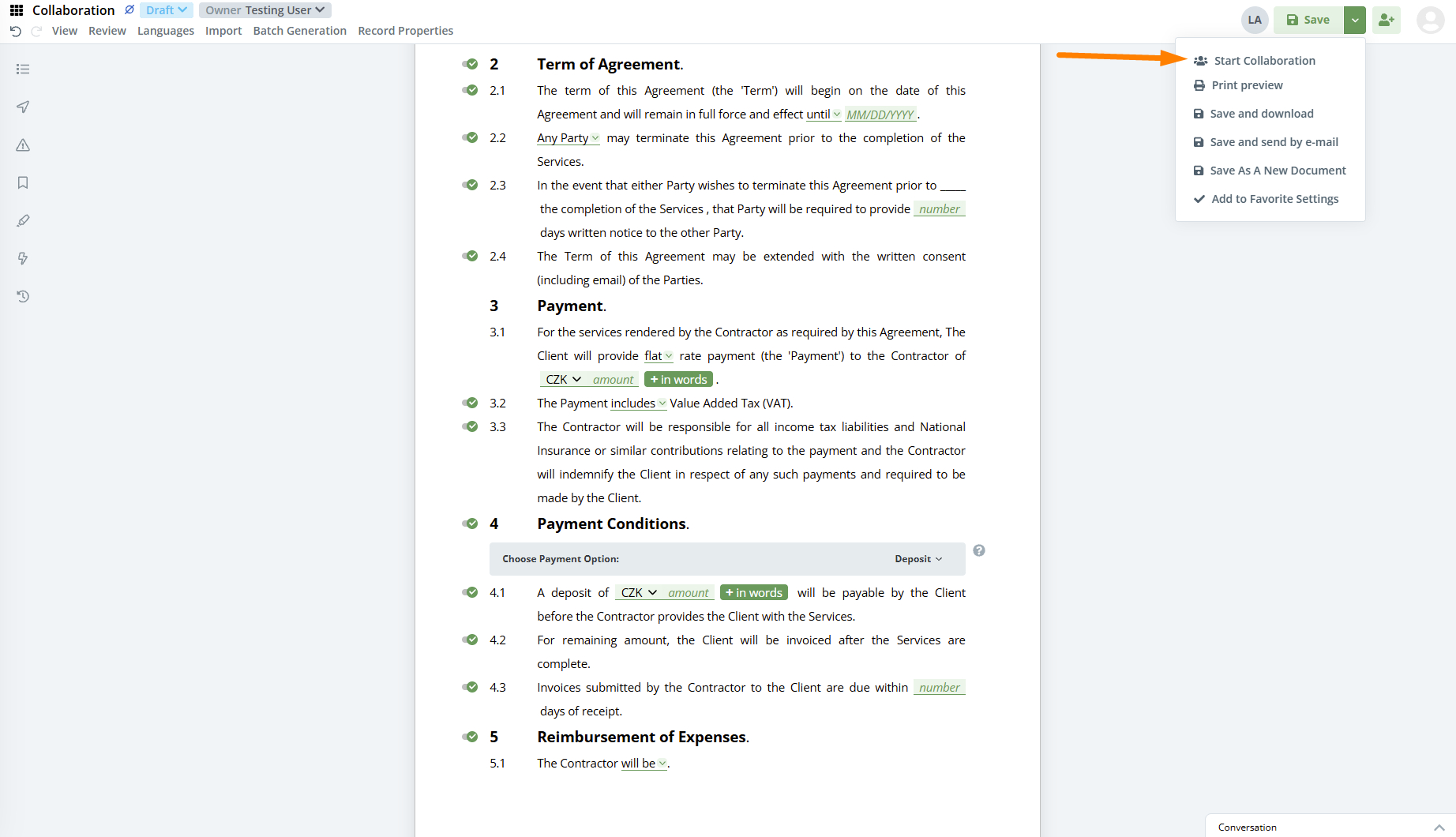
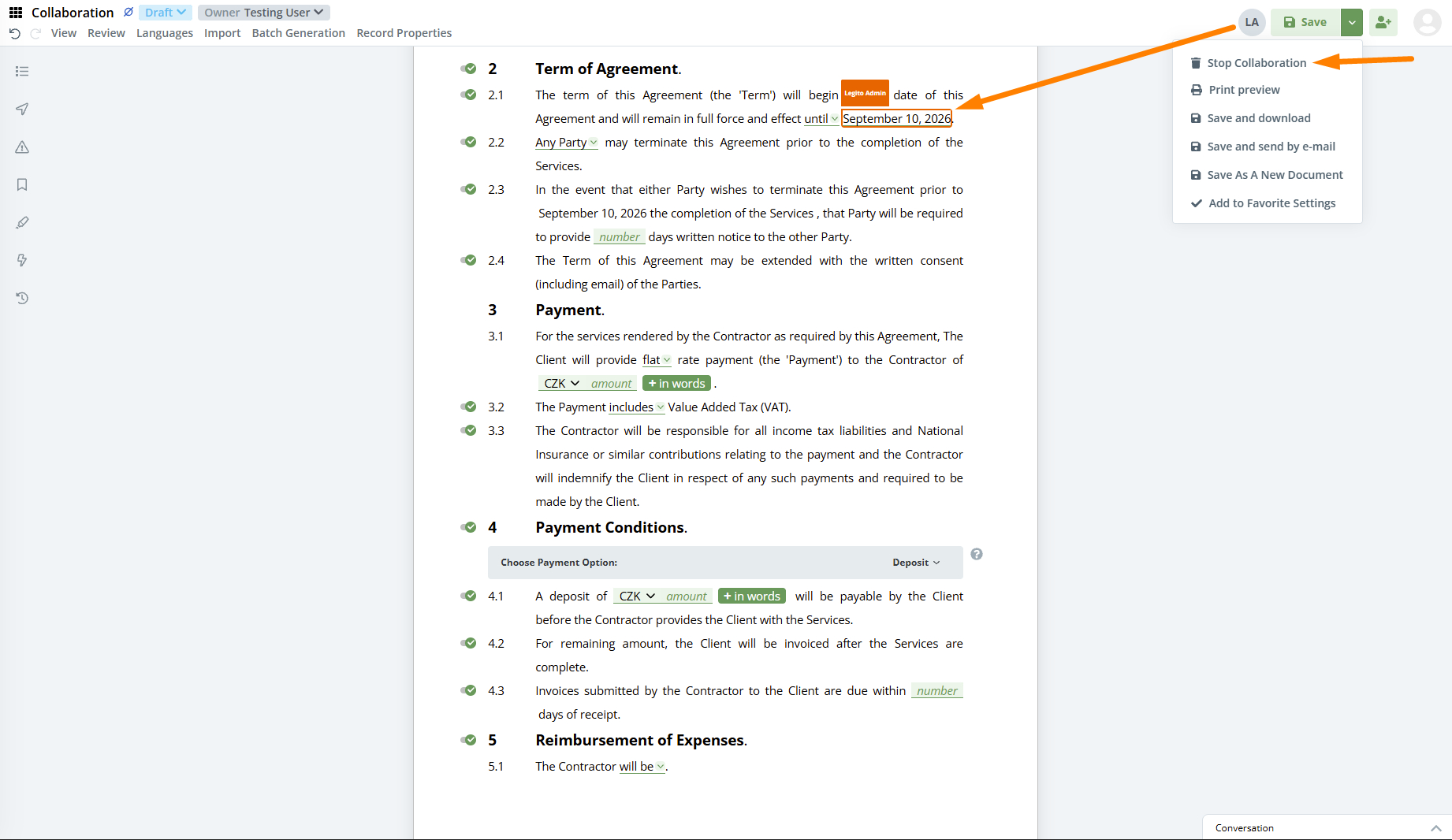
We enhanced Document Collaboration in the Legito Document Editor to enable multiple users to edit Document content simultaneously and instantly see changes made by other users in real-time. Collaboration mode also applies to Guests.
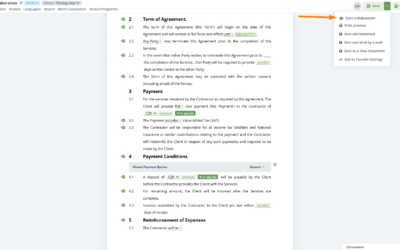
To protect privacy, Collaboration is not activated automatically. Users with Document Edit or Manage permissions can activate this feature by clicking the “Start Collaboration” button in the main actions dropdown menu. Collaboration mode is only available for Documents, not Templates, which means there has to be at least one existing Document Version.
The author of the Document Version created in Collaboration mode is the User who clicks the Save button, regardless of how many users contribute to the Document Version.
Collaboration is automatically deactivated by saving the Document Version, or by clicking “Stop Collaboration” in the main actions dropdown menu. The second option discards all unsaved changes to the Document made in Collaboration mode.
User permissions, including permissions to Documents and Document Records, are not affected.
With this change, we deprecated the previous system where a user had to request editing from the user currently editing the document.
For now, this feature is only available upon request. Please contact us if you would like to use it.
9) A Faster Template Editor
Faster initial loading. Templates now load quicker in the Template Editor, reducing waiting times — particularly for larger, more complex Templates.
Improved performance. The Template Editor remains responsive as a Template grows, whether you are moving a single Clause or restructuring a document containing several hundred Clauses and Elements.
Smoother Editing. Dragging and dropping Clauses and Elements is now faster and more precise. Drop zones respond more accurately, making it easier to position content exactly where you want it and creating a more intuitive Template-building experience.
10) Template Editor Formatting Aligned with the Document Editor
We improved the accuracy of formatting displayed in the Template Editor, including:
- Spacing between paragraphs
- First line indentation
- Questions
- Page format and orientation
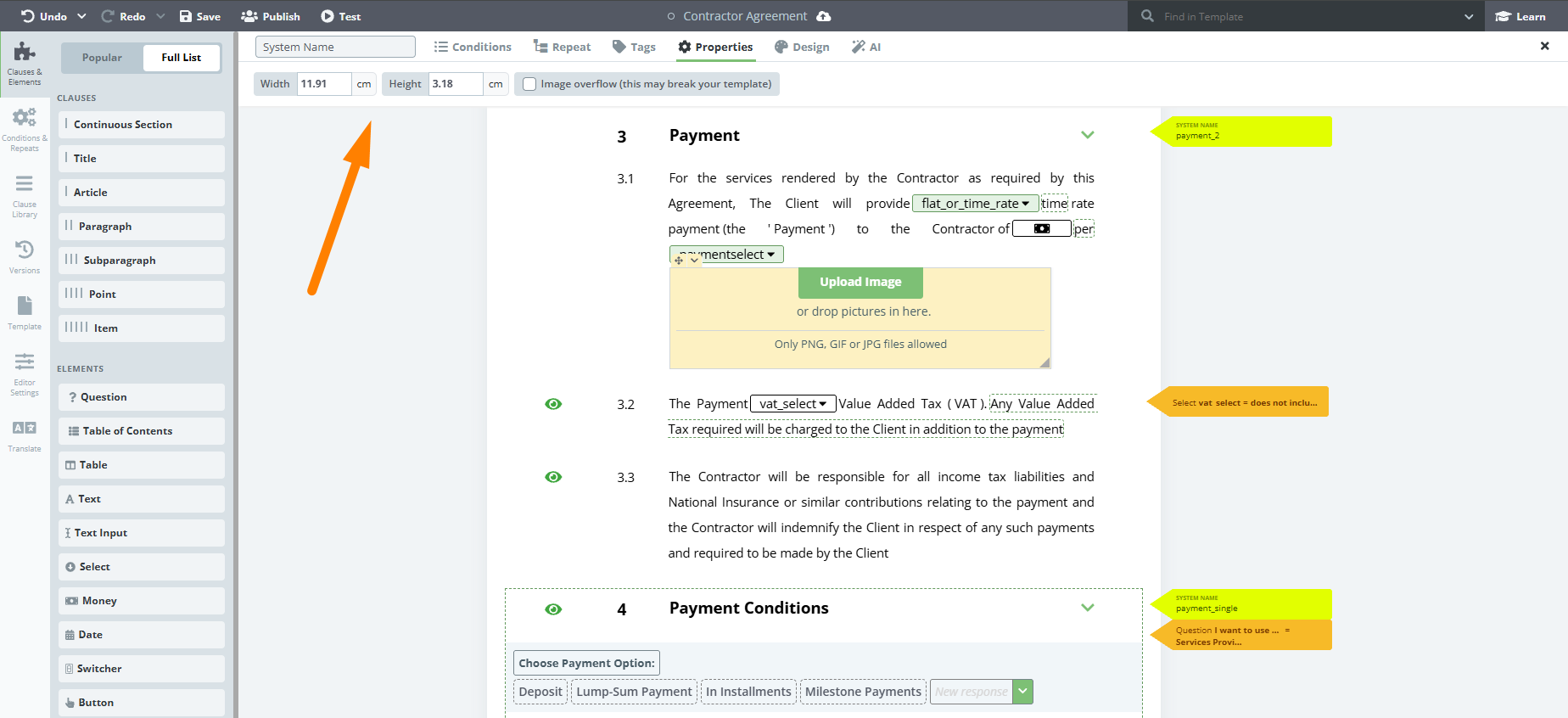
- Image dimensions in centimetres and inches
This is a visual improvement within the Template Editor only and does not change the formatting of generated Legito Documents.
11) New ALL CAPS Numbering Types
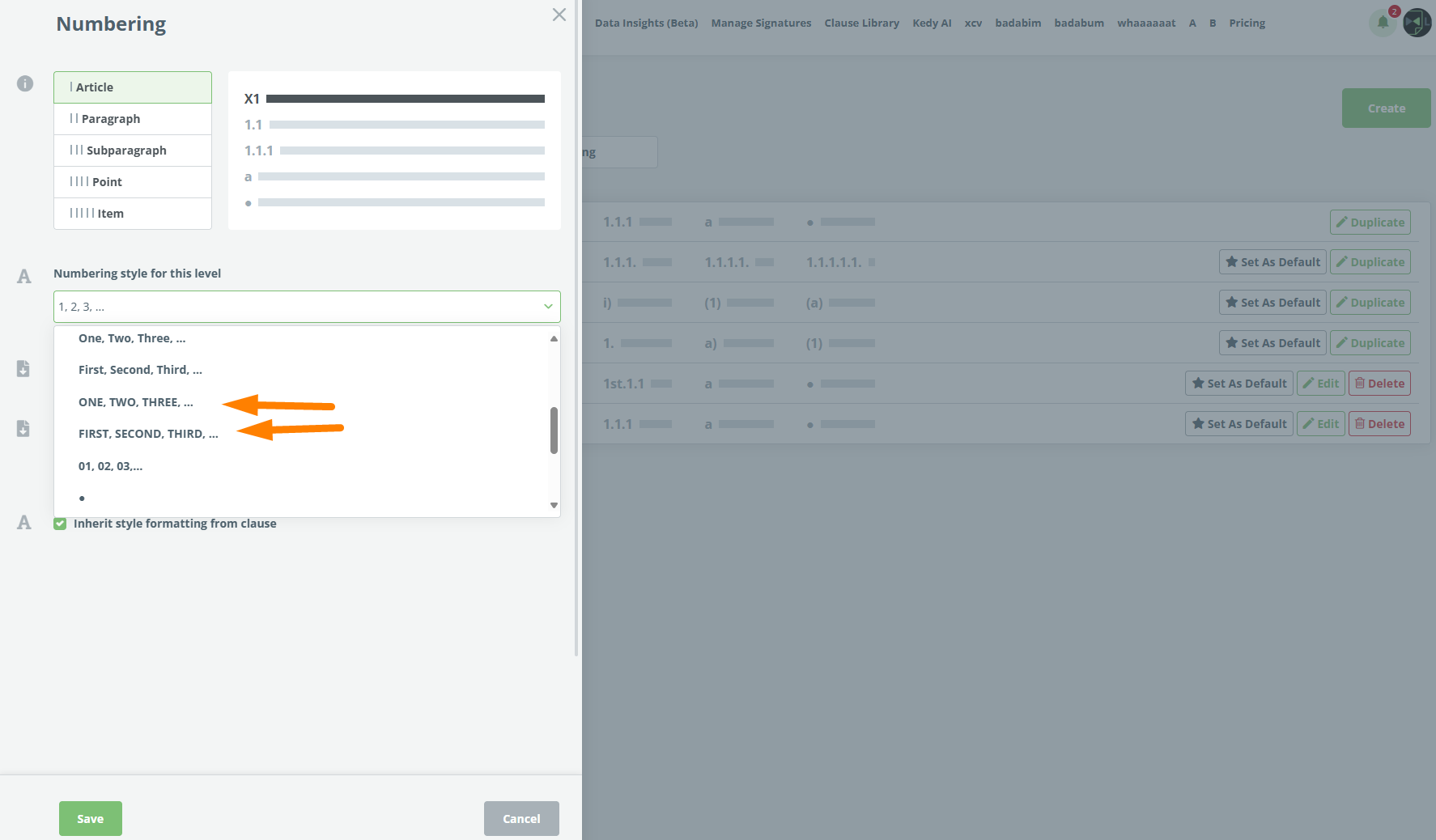
We’ve added two new uppercase numbering options for Legito Templates:
- ONE, TWO, THREE, …
- FIRST, SECOND, THIRD, …
12) Name and Description for API Keys
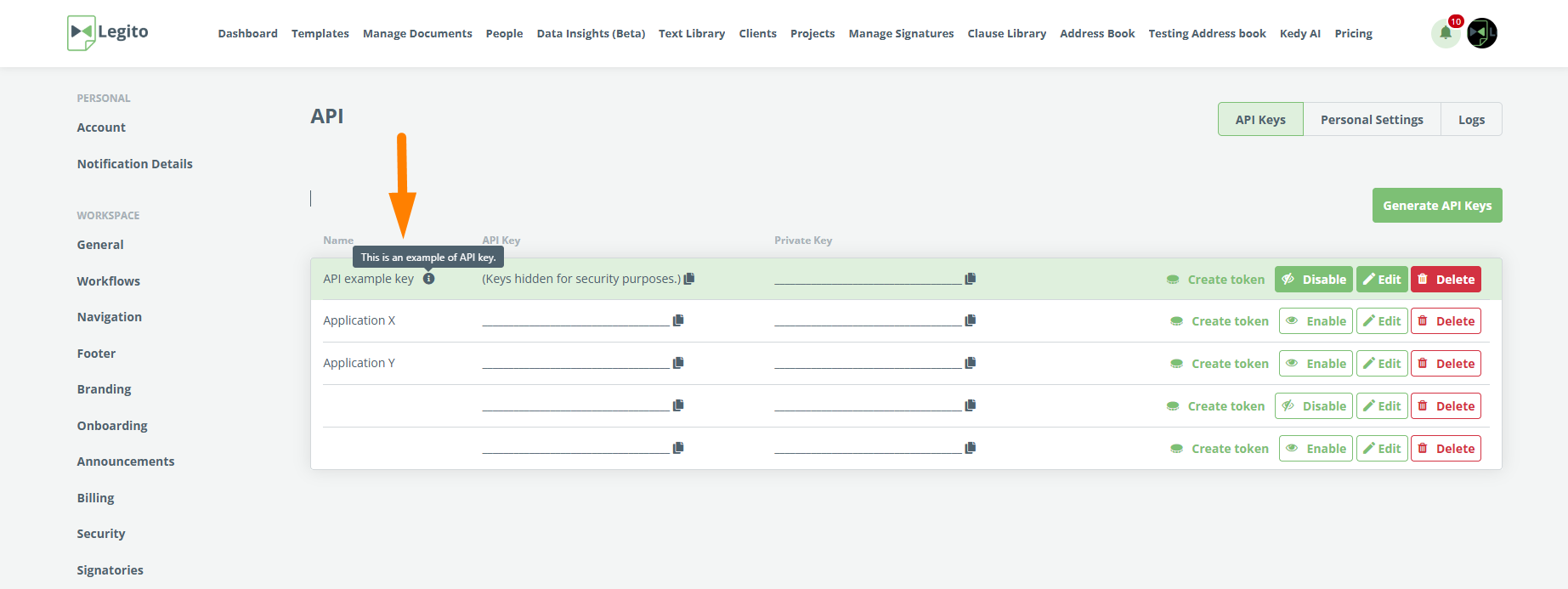
You can now add a Name and Description to each API Key. API Keys are created and edited in a dedicated window, with both details displayed in the API Key list. This makes it easier to identify each key and the integration that uses it.
Q3 2026: Smarter Kedy AI, Performance Improvements and More Real-Time Workspace
1) Kedy AI – Faster and More Detailed
We’ve upgraded, changed, and reorchestrated a combination of the underlying LLM models powering Kedy AI, resulting in massively faster and more detailed answers and actions.
2) Kedy AI for Template Authoring
We have expanded the capabilities of our in-house AI Assistant, Kedy AI, beyond AI conversion from Word documents to Legito Templates. Kedy AI can now work directly with your Template content. Simply describe the change you want to make in plain language, and Kedy AI will identify the relevant Clauses and Elements in the Template and update them for you.
With each request, Kedy AI saves a new version of your Template with a note that it was created using AI.
Kedy AI can do the following actions so far:
Updating Properties. Kedy AI can update any property of the Clauses or Elements it finds. For example:
- Find all Text Elements containing the word “apple” and set their beginning and end spacing to “no space”.
- Set all Clauses with the Title style to begin on a new page.
- Change the style of all Articles using “Paragraph1” to “Superstyle”.
- Set the minimum and maximum selections for the “xyz” button to 1 and 3.
Managing Tags. Kedy AI can add and remove existing Tags from Clauses or Elements, and can identify where a particular Tag is already used within a Template. For example: “find the Element with the System Name xyz and apply the first_party_name” tag.
Updating Text. Kedy AI can edit and format text and text within a Template. For example, you can ask it to “find all text in quotation marks and make it bold”, or add Help text to a specific Clause.
Working with Images. Kedy AI can position and format Images already included in a Template. For example, “place the image X in the middle of the page behind the specified text”. You can also insert new images directly into the chat and ask Kedy AI to insert them into the header, footer, or the body of a section with your preferred alignment. For example, “insert abc.png into the header and align it to the right corner”.
Formatting and Styles. Kedy AI can reset the formatting or Style of Clauses and Elements in them. This restores the Style and formatting to their default values. This is equivalent to manually selecting the crossed-out “T” icon in the Template Editor.
3) Kedy AI – Bulk Actions
We’ve introduced AI bulk actions that allow using Kedy AI, including Agents, to complete tasks involving actions in a very large number of Document Records and Object Records in a short time.
AI bulk actions are available for changes of Owner and Workflow Stage, Archivation, Deletion, and Sharing.
4) Significantly Faster PDF Export
Legito Document export to PDF is approximately 10x faster than before, while still maintaining 100% precision of the output.
We are releasing this new PDF Export version sequentially to all Workspaces. If you do not have it already, please let us know, and we can fast-track it for you.
5) Faster Loading and Saving of Legito Documents
Legito Documents now load and save faster in the Document Editor. The most noticeable improvement is seen in longer, more complex Documents.
Response times have also been improved for REST API requests involving Legito Documents.
6) Improved Search in the Template Editor
The Template Editor’s Search feature contains new popular search patterns associated with follow-up bulk actions.
New search patterns are available in the Special tab of the Search dropdown.
The features enable filtering by multiple types of Clauses and Elements, and Clause Library Clauses and their parts.
You can select multiple options at once, and the search will return anything that matches at least one of the selected options.
7) Real-Time Display of Changes
Changes in Document Records and Object Records made by one user are now instantly displayed to everyone else across all areas of the Legito Workspace without requiring a page refresh.
The instant display of changes includes the following use-cases:
Document and Object Records Content: Changes to the Owner, Workflow Stage, Properties, and other record details are reflected immediately across all three Manage Documents views, all three Dashboard views, and the individual Document Record page. It doesn’t matter whether the change is made manually, through an automated Workflow action, or via the API — the updated information is instantly visible to everyone.
The same applies to all other Document Record details, which are now kept synchronized in real time.
Added and Removed Records: When a Document Record or Object Record is archived or recovered, its row disappears from or reappears in the Grid, Kanban, or Files view for all users instantly. Newly created records also appear immediately, whether they are generated from a Template or created directly.
8) Real-time Collaboration in the Document Editor
We enhanced Document Collaboration in the Legito Document Editor to enable multiple users to edit Document content simultaneously and instantly see changes made by other users in real-time. Collaboration mode also applies to Guests.
To protect privacy, Collaboration is not activated automatically. Users with Document Edit or Manage permissions can activate this feature by clicking the “Start Collaboration” button in the main actions dropdown menu. Collaboration mode is only available for Documents, not Templates, which means there has to be at least one existing Document Version.
The author of the Document Version created in Collaboration mode is the User who clicks the Save button, regardless of how many users contribute to the Document Version.
Collaboration is automatically deactivated by saving the Document Version, or by clicking “Stop Collaboration” in the main actions dropdown menu. The second option discards all unsaved changes to the Document made in Collaboration mode.
User permissions, including permissions to Documents and Document Records, are not affected.
With this change, we deprecated the previous system where a user had to request editing from the user currently editing the document.
For now, this feature is only available upon request. Please contact us if you would like to use it.
9) A Faster Template Editor
Faster initial loading. Templates now load quicker in the Template Editor, reducing waiting times — particularly for larger, more complex Templates.
Improved performance. The Template Editor remains responsive as a Template grows, whether you are moving a single Clause or restructuring a document containing several hundred Clauses and Elements.
Smoother Editing. Dragging and dropping Clauses and Elements is now faster and more precise. Drop zones respond more accurately, making it easier to position content exactly where you want it and creating a more intuitive Template-building experience.
10) Template Editor Formatting Aligned with the Document Editor
We improved the accuracy of formatting displayed in the Template Editor, including:
- Spacing between paragraphs
- First line indentation
- Questions
- Page format and orientation
- Image dimensions in centimetres and inches
This is a visual improvement within the Template Editor only and does not change the formatting of generated Legito Documents.
11) New ALL CAPS Numbering Types
We’ve added two new uppercase numbering options for Legito Templates:
- ONE, TWO, THREE, …
- FIRST, SECOND, THIRD, …
12) Name and Description for API Keys
You can now add a Name and Description to each API Key. API Keys are created and edited in a dedicated window, with both details displayed in the API Key list. This makes it easier to identify each key and the integration that uses it.
More From New Releases
Q3 2026: Smarter Kedy AI, Performance Improvements and More Real-Time Workspace
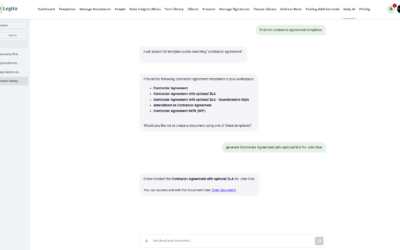
Discover smarter Kedy AI, faster document performance, real-time collaboration, and more in the latest Legito release.
...
Q2 2026: Features, Features, Features
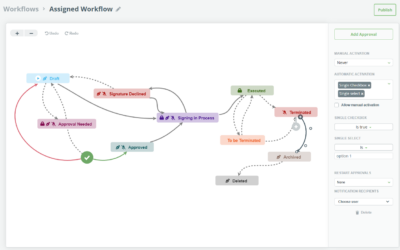
Discover 31 new Legito features, including Kedy AI features and smarter workflows to boost document automation.
...
Q1 2026: Twenty New Features, AI Included
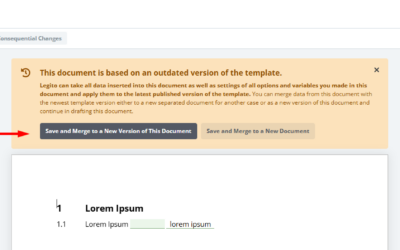
Discover 20 new Legito features, including AI-powered Word conversion and smarter workflows to boost document automation.
...
Q4 2025: New Permissions and Triggers
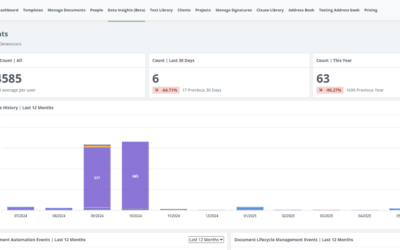
Q4 2025: Data Insights and other improvements to enhance automation, security, and document management in Legito.
...
Q2 2025: Data Insights and 11 other Improvements
Q2 2025: Data Insights and 11 other improvements to enhance automation, security and document management in Legito.
...
Q1 2025: AI for CLM and more
Discover what’s new in the Q1 2025: AI for CLM and other enhancements to make your document management faster and more efficient.
...
Q4 2024: Document Automation and Signatures
Discover new and improved Legito features in the Q4 2024 report: Document Automation and Signatures. More efficient automation and signatures!
...
Q3 2024: Next Generation Document Editor
Reflecting on a productive first quarter in 2024, we are delighted to announce the release of our latest features.
...
Q2 2024: Focus on CLM and Integrations
Reflecting on a productive first quarter in 2024, we are delighted to announce the release of our latest features.
...
Q1 2024: New Integrations, Search & Document Automation Features
Reflecting on a productive first quarter in 2024, we are delighted to announce the release of our latest features.
...
December 2023: Salesforce Integration And More
In our most recent release, our team launched a Legito app in Salesforce that supports all endpoints contained in Legito’s robust REST API. Addit...
November 2023: Zapier Integration & Dashboard Improvements
We redesigned the default Dashboard for newly created Workspaces. The new Dashboard design is based on your feedback and has been applied to the Wi...
October 2023 Release: Easier Forms Building And More
To allow our power users to quickly and easily build simple Form Templates in the Template Editor, we added a Quick Actions bar with pre-built bloc...
September 2023 Release: Localization & Template Editor Improvements
Discover new localization settings for workspace and other template editor improvements. Workspace admins can set formats of dates, numbers, and fi...
August 2023 Release: New Features for Power Users
Our latest release introduces Automatic Field Creation for Legito Sign and DocuSign within Legito Templates. And much more.
...
July 2023 Release: Enhanced Legito Sign & Free Workspace
As a Legito gesture to provide value to the Legito community, and to support new entrepreneurs, Legito offers a Free plan that provides access to s...
June 2023 Release: Processing PDF Forms
Legito can now process and automatically fill PDF documents using data inserted to your Legito Documents or Forms. To add a PDF Template to your Te...
May 2023 Release: Process Management Improvements
Now you can upload files to Object Records the same way as Document Records. We added a feature that allows the activation of Saved Files Property ...
April 2023 Release: UX & Integration Tools Improvements
We made several improvements in April, which led to a smoother and more enjoyable user experience. Keeping up with the latest advancements in UX an...
March 2023 Release: User Onboarding And More
In addition to Workspace Onboarding, we have released a simplified User Onboarding for non-Admin users. Workspace Onboarding will teach your power ...